Real-Time Vision-Language Models on Edge Hardware: Deploying Cosmos-Reason2 on Jetson Thor for Social Robot Perception
Organization: IntBot.AI
| Model | Workload | Use Case |
|---|---|---|
| Cosmos-Reason2-2B | Inference | Edge-deployed VLM perception for social robots |
Introduction
Imagine a hotel concierge robot that greets guests, recognizes returning visitors, and reads the room—all without sending a single frame to the cloud. This is the promise of edge-deployed Vision-Language Models (VLMs), and it is now within reach.
Modern robots interacting with humans must understand complex real-world environments in real time. While recent advances in multimodal AI have produced powerful VLMs, most deployments still rely on cloud inference. For robots operating in physical environments such as hotels, airports, hospitals, and public venues, that dependency introduces serious limitations: latency that disrupts natural interaction, dependence on network connectivity, privacy concerns with streaming camera data, and operational cost that grows with deployment scale.
This recipe describes how to deploy NVIDIA Cosmos-Reason2 Vision-Language Models directly on edge hardware. Running on Jetson AGX Thor, Cosmos-Reason2 forms the perception layer of the IntBot Social Intelligence software stack, enabling robots to interpret visual scenes, extract structured context, and interact naturally with humans. This architecture delivers real-time multimodal reasoning at the edge, eliminating cloud inference while maintaining high-quality scene understanding.
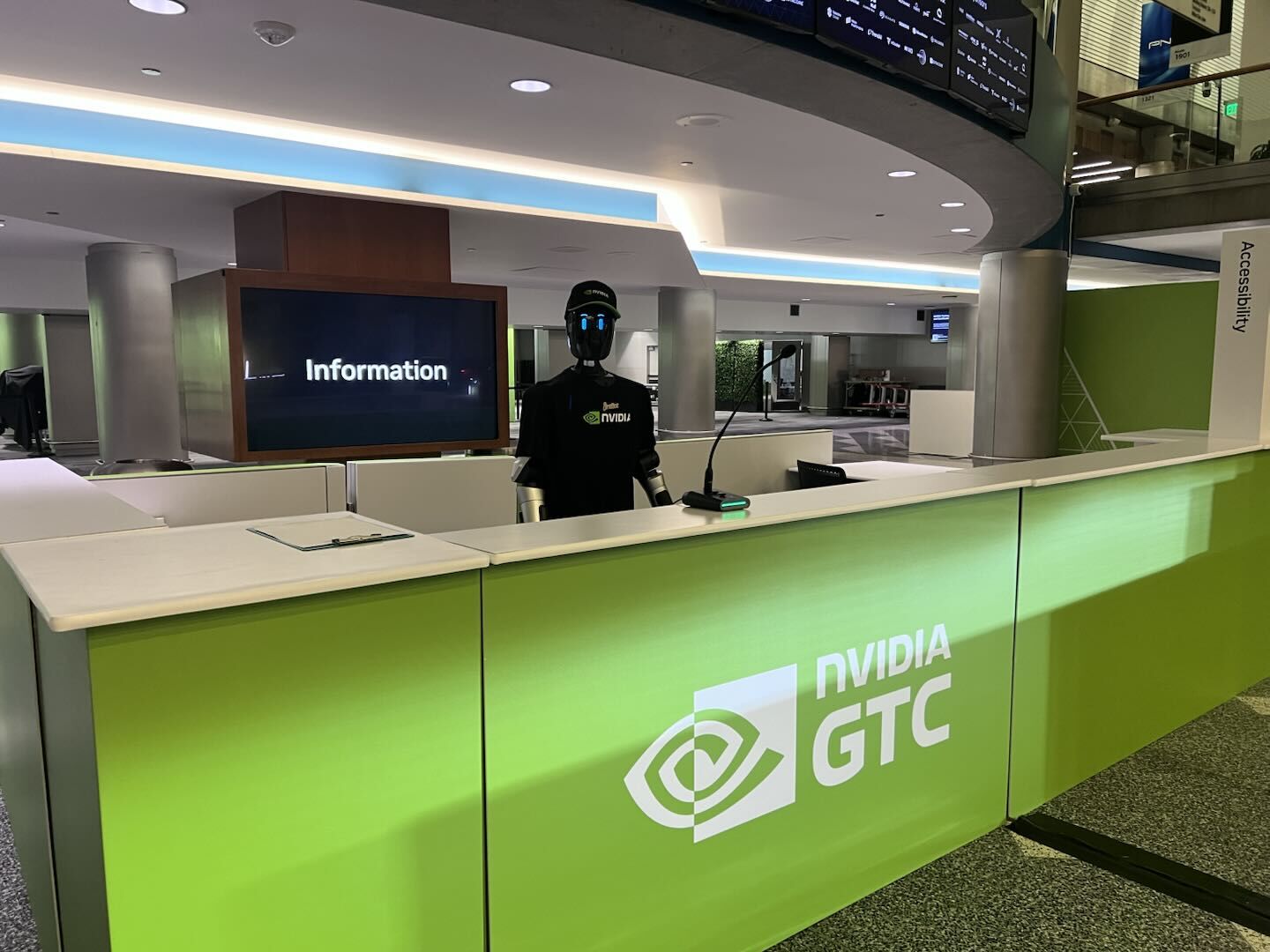
IntBot Nylo at reception, GTC San Jose 2026.
Prerequisites
- Hardware: Jetson AGX Thor (or compatible Jetson platform) for edge inference; an x86 GPU host for quantization and ONNX export.
- Software: TensorRT-Edge-LLM (or equivalent) toolchain for quantization, ONNX export, and engine build. Build the project from source so that
llm_buildandvisual_buildbinaries are available underbuild/examples/. Install or build the quantization and export utilities (tensorrt-edgellm-quantize-llm,tensorrt-edgellm-export-llm,tensorrt-edgellm-export-visual) as documented in that toolchain. - Model: Cosmos-Reason2-2B. Download the model (e.g. from Hugging Face or the Cosmos Reason 2 repository) and use its local path as
--model_dirin the commands below. If your toolchain accepts Hugging Face model IDs,nvidia/Cosmos-Reason2-2Bmay be used where supported.
Edge Robot VLM Perception Architecture
The perception pipeline converts raw camera input into structured understanding that downstream reasoning systems can consume. The entire system runs on the Jetson Thor edge device.
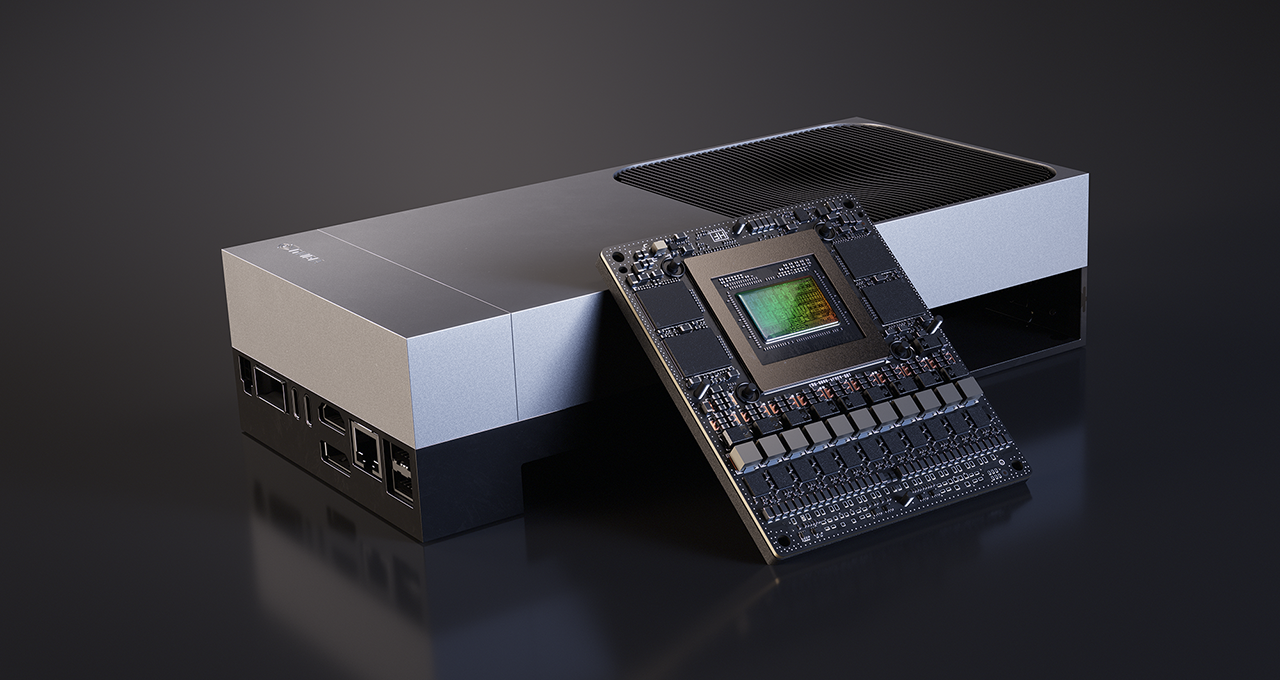
Jetson AGX Thor: edge compute platform for real-time VLM inference.
Two major components form the perception stack: the Robot-VLM Client and the TensorRT-Edge-LLM Inference Server.
Robot-VLM Client
The Robot-VLM Client ingests camera streams and prepares frames for inference. Its key responsibilities include:
- Receiving RTP H.264 video streams
- Performing hardware-accelerated decoding on Jetson
- Sampling frames for inference
- Encoding frames as JPEG images
- Constructing prompts for the VLM
- Dispatching inference requests to the local server
- Publishing structured perception results
The typical stream configuration uses 800×600 resolution at 15 FPS, with H.264 encoding over RTP/UDP. Rather than processing every frame, the client performs intelligent frame sampling, reducing GPU load while preserving scene awareness.
Client Configuration
The Robot-VLM Client uses a YAML configuration file to define stream and inference parameters:
rtp:
  bind_ip: "<RTP_BIND_IP>"   # e.g. Jetson interface IP for receiving the camera stream
  port: <RTP_PORT>           # e.g. 5600
  width: 800
  height: 600
  fps: 15
  codec: "h264"

vlm:
  host: "<VLM_HOST>"         # e.g. 127.0.0.1 when server runs on same device
  port: <VLM_PORT>           # e.g. 8080
  model: "trt-edgellm"

nats:
  host: "<NATS_HOST>"        # NATS server hostname or IP
  port: <NATS_PORT>          # e.g. 4222
  subject: "perception.vlm"
Note: Replace the placeholders (
<RTP_BIND_IP>,<VLM_HOST>,<NATS_HOST>, and ports) with your network and deployment configuration.
This configuration defines three blocks: camera stream ingestion parameters, the local inference endpoint, and NATS messaging output for downstream consumers. To reproduce the full pipeline, implement a client that matches this contract (RTP input, HTTP requests to the VLM server, NATS output), or use the IntBot client if available for your deployment.
TensorRT-Edge-LLM Inference Server
Deploying multimodal models on embedded hardware requires aggressive optimization. The original Cosmos-Reason2-2B model uses FP16 precision, which is computationally heavy for real-time robotics workloads. To achieve the performance targets, we apply FP8 quantization and convert the model into TensorRT engines.
Quantization and ONNX export are performed on an x86 GPU host, while the TensorRT engine build occurs on the edge device itself. The following commands follow the IntBot pipeline; for the latest options and tool names, refer to the TensorRT-Edge-LLM (or IntBot) documentation.
Pipeline order: (1) On x86 host: quantize the model, export LLM and visual encoder to ONNX. (2) Copy the ONNX outputs (and, if needed, the quantized model) to the Jetson. (3) On Jetson: build the LLM engine and visual encoder engine. (4) Start the inference server and point it at the engine directories. (5) Configure and run the Robot-VLM Client (or a compatible client) with your camera and NATS setup. Paths in the commands below are relative; run them from a consistent workspace directory or adjust paths to match your layout.
Step 1: Quantize the model to FP8 (x86 host)
tensorrt-edgellm-quantize-llm \
  --model_dir nvidia/Cosmos-Reason2-2B \
  --output_dir ./quantized/Cosmos-Reason2-2B-fp8 \
  --dtype fp16 \
  --quantization fp8
Step 2: Export the LLM to ONNX (x86 host)
tensorrt-edgellm-export-llm \
  --model_dir ./quantized/Cosmos-Reason2-2B-fp8 \
  --output_dir onnx_models/Cosmos-Reason2-2B-fp8
Step 3: Export the visual encoder to ONNX (x86 host)
tensorrt-edgellm-export-visual \
  --model_dir nvidia/Cosmos-Reason2-2B \
  --output_dir ./onnx_models/Cosmos-Reason2-2B-fp8/visual_enc_onnx \
  --quantization fp8 \
  --dtype fp16
Step 4: Build TensorRT engines on Jetson Thor
Copy the ONNX directories (onnx_models/Cosmos-Reason2-2B-fp8 and its visual_enc_onnx subdirectory) to the Jetson, then build the engines there. This ensures the engines are built for the target device's architecture.
Build the LLM engine:
./build/examples/llm/llm_build \
  --onnxDir onnx_models/Cosmos-Reason2-2B-fp8 \
  --engineDir engines/Cosmos-Reason2-2B-fp8 \
  --vlm \
  --minImageTokens 4 \
  --maxImageTokens 10240 \
  --maxInputLen 1024
Build the visual encoder engine:
./build/examples/multimodal/visual_build \
  --onnxDir onnx_models/Cosmos-Reason2-2B-fp8/visual_enc_onnx \
  --engineDir visual_engines/Cosmos-Reason2-2B-fp8
These engines are then loaded by the TensorRT Edge LLM inference server.
The Inference Server
The inference server loads the optimized TensorRT engines, exposes a local HTTP endpoint, receives image-plus-prompt requests, generates scene descriptions, and returns structured results with latency metrics. Two engines run in tandem: the visual encoder and the language model.
Structured Perception via NATS
After inference, results are published as structured events through NATS messaging. Example event payload:
{
    "person_count": 1,
    "scene": "office",
    "no_person": false,
    "raw_text": "1 person is facing camera...",
    "latency_ms": 408,
    "server_infer_ms": 397
}
These events become the input signals for downstream robot reasoning and decision-making systems.
Performance Evaluation
We evaluated inference latency before and after FP8 quantization using a perception task involving human detection and attribute extraction. The latency metrics measured include HTTP round-trip time, end-to-end pipeline latency, pure model inference time, and total server processing time.
| Metric | FP16 | FP8 | Speedup |
|---|---|---|---|
| HTTP round-trip (median) | 759 ms | 508 ms | 1.49× |
| End-to-end latency (median) | 762 ms | 510 ms | 1.49× |
| Model inference (median) | 750 ms | 499 ms | 1.50× |
| Server total (median) | 756 ms | 505 ms | 1.49× |
FP8 quantization reduces inference latency by approximately 33%, bringing median end-to-end latency to ~510 ms and enabling sustained real-time perception.
Output Quality Comparison
To ensure a fair comparison, we also measured the length of output text produced during FP16 and FP8 inference. Since longer outputs generally take more time to generate, we needed to verify that the performance gains were not simply a result of shorter responses. Test results confirm that FP16 and FP8 produce outputs of very similar length (comparable mean, median, and P95 values), ruling out output length as a confounding factor in the latency improvement.
Key Lessons from Deployment
Prompt engineering matters. Prompt design significantly impacts VLM output quality. Small changes in wording can meaningfully affect perception accuracy, and the number of output tokens directly affects inference latency. Careful prompt engineering is essential for balancing quality and speed.
Example prompt used in evaluation:
Count the number of people in the scene.
Identify the person closest to the camera.
Report:
- gender
- hair color
- glasses
- clothing colors
If no person exists, output "no person".
Example model output:
Scene: office.
1 person is facing camera.
Person 1 is a male in a white shirt with short dark hair
and no glasses.
Frame sampling is essential. Processing every frame of a video stream is unnecessary and computationally expensive. Intelligent frame sampling reduces GPU load while still maintaining sufficient temporal awareness for real-time interaction.
Quantization enables real-time inference. FP8 quantization was the critical optimization that brought inference latency below the threshold required for live human-robot interaction. Without it, the model could not sustain the responsiveness needed for natural conversation.
Structured outputs simplify integration. Publishing perception results as structured events through NATS messaging enables clean separation between the perception layer and downstream reasoning systems. This modularity makes the architecture easier to maintain, test, and extend.
Toward Socially Intelligent Robots
Edge-deployed multimodal AI is becoming a foundational capability for real-world robotics. By running Cosmos-Reason2 directly on Jetson Thor, IntBot robots can understand human environments locally, respond with low latency, preserve user privacy, and scale across large deployments without per-unit cloud costs.
Within the IntBot platform, the edge VLM pipeline forms the perception foundation of socially intelligent embodied AI. As multimodal models grow more capable and edge hardware continues to advance, this approach will become a standard building block for robots that interact meaningfully with the physical world.
Further Reading
- Cosmos Reason 2 — Model and documentation
- TensorRT Edge-LLM — LLM and VLM inference for embedded platforms
- Visual Language Intelligence and Edge AI 2.0 with NVIDIA Cosmos Nemotron — NVIDIA technical blog
- IntBot.AI — Socially intelligent humanoid robots
Document Information
Publication Date: March 2026
Citation
If you use this recipe or reference this work, please cite it as:
@misc{cosmos_cookbook_edge_vlm_jetson_thor_2026,
  title={Real-Time Vision-Language Models on Edge Hardware: Deploying Cosmos-Reason2 on Jetson Thor for Social Robot Perception},
  author={IntBot.AI},
  year={2026},
  month={March},
  howpublished={\url{https://nvidia-cosmos.github.io/cosmos-cookbook/recipes/inference/reason2/intbot_edge_vlm/inference.html}},
  note={NVIDIA Cosmos Cookbook}
}
Suggested text citation:
IntBot.AI (2026). Real-Time Vision-Language Models on Edge Hardware: Deploying Cosmos-Reason2 on Jetson Thor for Social Robot Perception. In NVIDIA Cosmos Cookbook. Accessible at https://nvidia-cosmos.github.io/cosmos-cookbook/recipes/inference/reason2/intbot_edge_vlm/inference.html